Start the timer
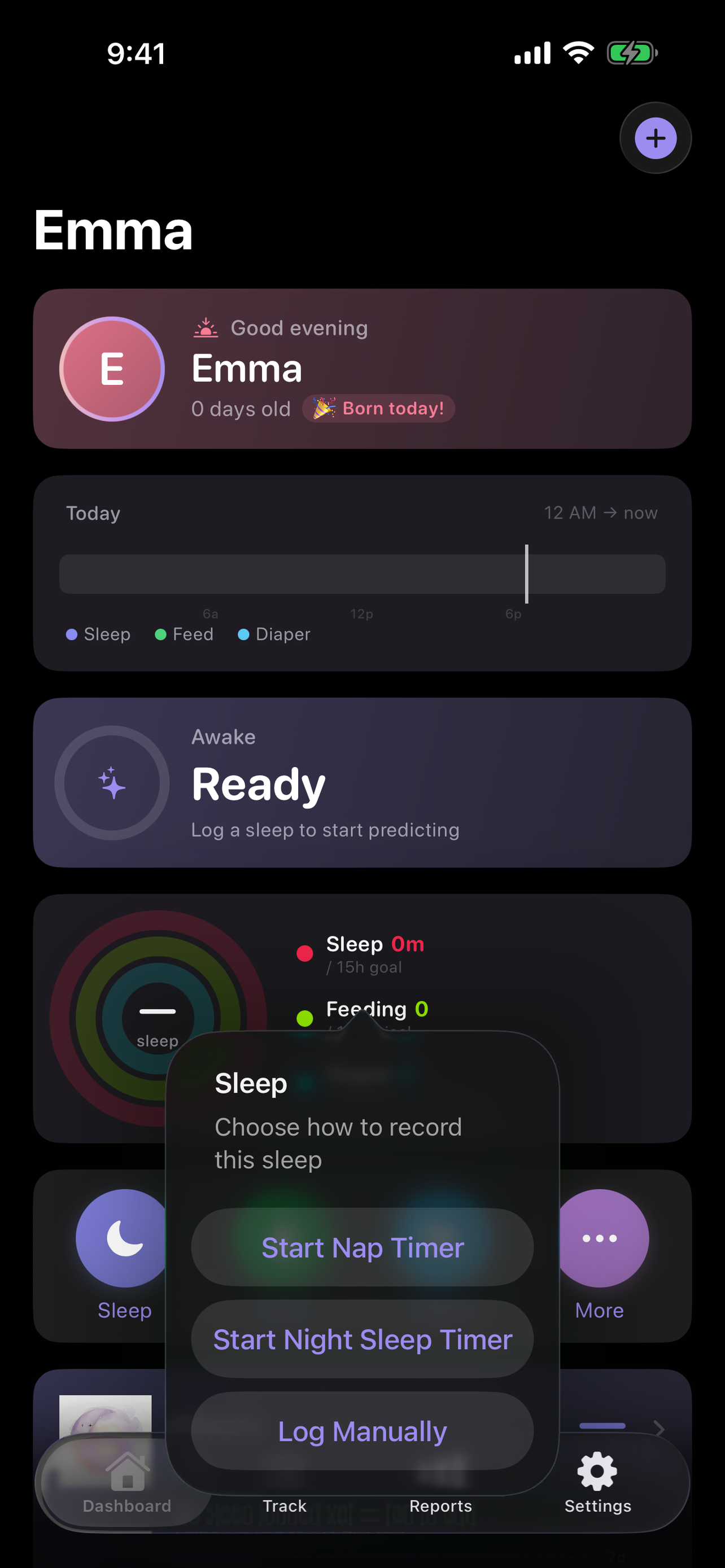
Begin a sleep session from the app or an available Apple shortcut surface.
Built for nights and naps
Start, pause and finish sleep quickly, keep the running timer visible on Apple system surfaces, and review the day without creating a Lullalog account.
Free, private by default and available on iPhone and Apple Watch.
A simple loop
Sleep tracking should survive interruptions, feeding sessions and the reality of switching between caregivers.
Begin a sleep session from the app or an available Apple shortcut surface.
Check the running duration through supported Lock Screen, Dynamic Island and StandBy surfaces.
End the session, adjust timing if needed and see sleep beside feeds, diapers and the rest of the day.
More than a stopwatch
Lullalog keeps individual sessions useful now and adds summaries when you need to look back.
Sleep summaries are informational and are not medical advice or a guarantee about an individual child’s sleep needs. Follow safe-sleep guidance from your clinician and relevant public-health authorities.
Common questions
Yes. Lullalog allows overlapping care timers so a feeding does not automatically rewrite the sleep record.
Lullalog includes an Apple Watch app for supported wrist-based logging and timer actions.
Shared child profiles can sync supported care records through optional iCloud caregiver sharing.
No. It can summarize history and present informational nap ranges when enough data exists, but it does not provide medical sleep advice.
Related Lullalog features
Download Lullalog for fast timers, private care history and optional caregiver sync.
Download Lullalog